The Cat's Out of The Bag

The Cat's Out of The Bag

Or is that the flowers out of the bag? In any case, I finally get to announce the project that has been keeping me up at night for the last few months: Flower Garden for the iPhone and iPod Touch. In the next few days I’m going to start beta testing, so if you’re interested in participating, let me know. More info coming soon…

Last Objective-C Annoyance: Fixed!

Last Objective-C Annoyance: Fixed!

I’ve gone on and on before about how much I like Objective-C and especially, how well it plays with C++. Mixing the two is a pleasure, and it’s often hard to remember where one stops and the other one starts. So much so that sometimes I catch myself calling C++ member functions like this [self myFunction:param];. Oops. It is true that Objective-C can be a bit more verbose than plain C++, but it more than makes up for it with named parameters (which increase readability a huge amount), and not having to duplicate many things between header and implementation files. ...

San Diego iPhone Developers Gathering This Wednesday

We had so much fun the first time, that we decided to do it again. Last time we had a great turnout and we had a great time comparing ninja UIKit techniques, giving exclusive worldwide previews of apps in the works, and sharing voodoo spells to to make your app show up in the front page of the App Store (amazing what a few beers will do). So we’re back at it again. Anybody involved in iPhone development or interested in learning more about it is welcome to come. ...

Remixing OpenGL and UIKit

Yesterday I wrote about OpenGL views, and how they can be integrated into a complex UI with multiple view controllers. There’s another interesting aspect of integrating OpenGL and UIKit, and that’s moving images back and forth between the two systems. In both cases, the key enabler is the CGContext class. From UIKit to OpenGL This is definitely the most common way of sharing image data. Loading an image from disk in almost any format is extremely easy with Cocoa Touch. In fact, it couldn’t get any easier: ...

Using Multiple OpenGL Views And UIKit

Using Multiple OpenGL Views And UIKit

The iPhone includes OpenGL ES for graphics rendering (thank you Apple for not coming up with a custom API!). Specifically, it uses OpenGL ES 1.1 plus a few extensions. It’s all very familiar and standard, except for the actual setup, which requires some integration with the iPhone UI. The now gone CrashLander sample, in spite of some atrocious code, was the best example on how to get a simple, OpenGL app on the iPhone. It covered the basics: creating an OpenGL frame buffer, loading some textures, drawing some polys, and presenting the result to the screen. It was very useful because it was a very small and concise and it made for a great starting point for any OpenGL-based app. ...

Tea Time! 1.1 Update Gets Its Way

Tea Time! 1.1 Update Gets Its Way

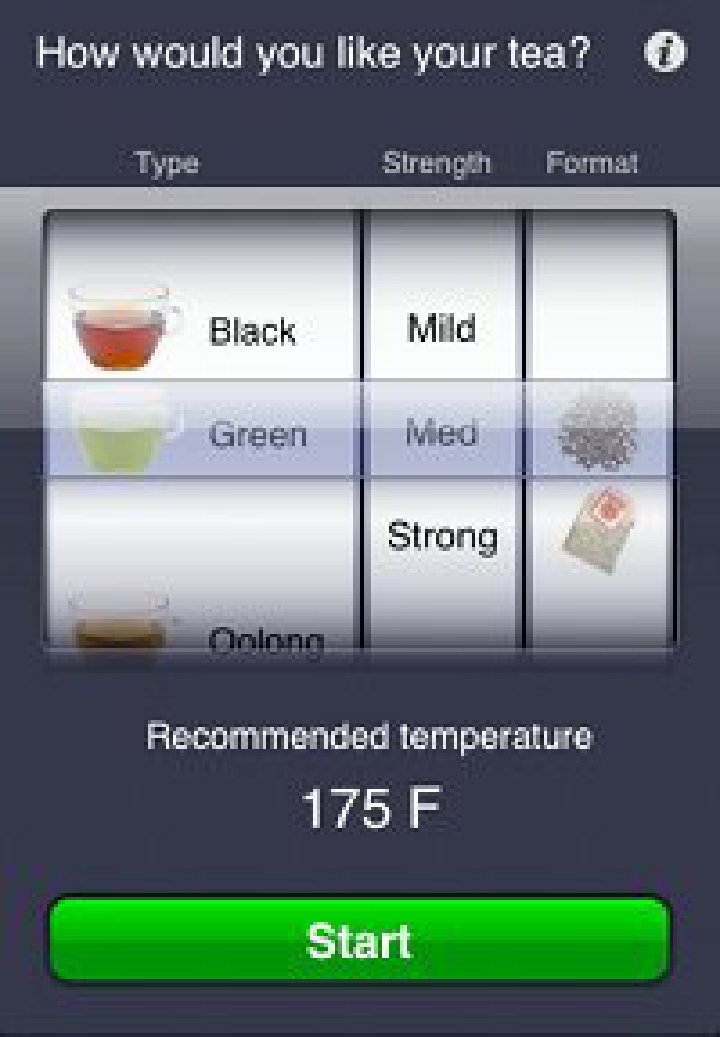
Last Friday, I decided to fix a bug in Tea Time!. Not so much a bug in Tea Time! actually, but a bug in Apple’s UIPickerView control that showed up when subclassing it. It turns out that it was possible to scroll the picker wheel just so, and one of the rows would come up blank (see screenshot). As far as I could tell, the UIPickerView class was unhappy that I was pre-allocating all the views I was going to show in the picker and handing them out whenever they were requested. So I had to allocate them on the fly or reuse the one in reusingView: ...

Twittering Around

Twittering Around

As the 0.5% of you who are not using an RSS reader might have noticed, I’ve added a new sidebar with my Twitter activity. I’m pretty new to Twitter… actually, that’s not true. I did join quite a bit ago, but I just didn’t get it. Nobody I knew was really using it and I didn’t want to read a random stream of posts from everybody. A couple of weeks ago, prompted by seeing a few other indie iPhone devs on Twitter, I decided to give it another try. I’m glad I did! It has been really fun and useful. Unlike Facebook, which is all about connecting with long-lost friends, and seeing pictures people’s new babies, I’m using Twitter exclusively for iPhone development. I keep my follow list to a relatively small amount of people, all of them independent iPhone game developers (so please, don’t feel offended if you’re a friend and I’m not following you). ...

Speaking at iPhone Conference And A Teaser

Speaking at iPhone Conference And A Teaser

I missed the iPhone Tech Talk World Tour last Fall. At the time it wasn’t a big deal because I was still soaking in all the information from the iPhone SDK docs. Now, on the other hand, I’m at the point that I’m getting into more advanced stuff, either not covered in the docs, or that it’s just plain tricky. For example, I spent all day today trying to coerce my app into sending an email with an image attachment–in the end I either kind of succeeded, or I bypassed the problem, depending how you look at it. But that’s another story for another day. ...

Status: Pending Contract :-(

Status: Pending Contract :-(

Based on all the horror stories I had read from other developers, I really thought I got out easy submitting Tea Time! It only took a week and a half to approve, there were no complications, and I was able to change to a company status half way through. I guess I really got out too easy and Apple had to remedy that. Today I found that Tea Time! shows up in the App Store listings, but it’s unavailable when you try to buy it. When I looked in the app management site, much to my surprise, Tea Time! was listed as “Pending Contract”. ...

Tea Time! Back Up

Tea Time! Back Up

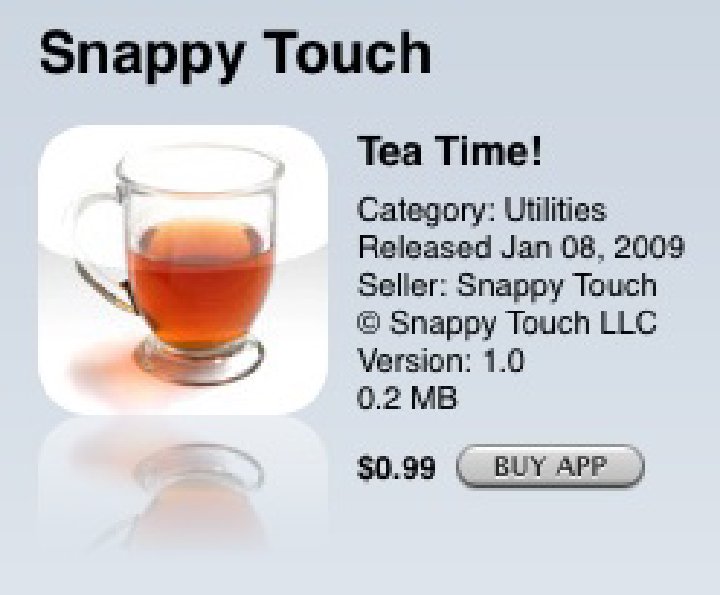
I was just pleasantly surprised to see that my new sales contract as Snappy Touch for the App Store was approved and that Tea Time! is once again available for sale. I was fearing it would be gone for days, but the blackout only lasted about a day. Not too bad. The only difference is that now it’s listed with Snappy Touch being the seller instead of my name. Will this be the end of the App Store saga? Let’s hope so. ...

The "One Day" iPhone App Experiment

The "One Day" iPhone App Experiment

I’ve been working full time on an iPhone app for the last three months. Realistically, I still have another month ahead of me. Four months is nothing compared to projects for current game consoles, but it’s pretty long for an iPhone app. It’s not like I’m slacking off (I swear that playing WoW has nothing to do with it!), but it’s a relatively complex project for an iPhone, involving 3D graphics, procedural geometry generation, custom user interface, and network access among other things. Definitely not your everyday, quick iPhone app. A couple of weeks ago, I decided to take a few days off from my project to enjoy the holidays with friends and family. Of course, I couldn’t stop thinking about the project. Soon my thoughts turned to how much more I had to go, and how some parts of the development process were still unknown to me, like the Apple submission process, or making a build for distribution on the App Store. At that point, inspiration struck, and I decided to use one day during the holidays to write a quick, one-day app. That way it wouldn’t take any time away from my project and I would learn a lot from it. And maybe, just maybe, I would make a buck or two in the process. ...

Tea Time! Available on The App Store Now!

My first iPhone app, Tea Time!, just hit the App Store today! Tea lovers of the world: Go get it now. What am I doing writing a little app like that? Don’t worry, that’s not what I’ve been doing for the last few months :-) It was an experiment to see how quick I could put a simple app together and getting the experience of going through the whole cycle with the App Store. Tomorrow I’ll write an entry with all that I’ve learned so far. ...

San Diego iPhone Developer Gathering Next Week

Are you doing iPhone development? Are you in the San Diego area? Come meet a bunch of local iPhone developers next week. It will be an informal gathering, just to get to know each other, trade war stories, and bitch about the App Store over pizza and beers. Feel free to invite anybody interested as well. When: Wednesday January 14th from 7PM until whenever Where: Karl Strauss Brewery in Mira Mesa Hope to see you all there!

Break That Thumb For Best iPhone Performance

Break That Thumb For Best iPhone Performance

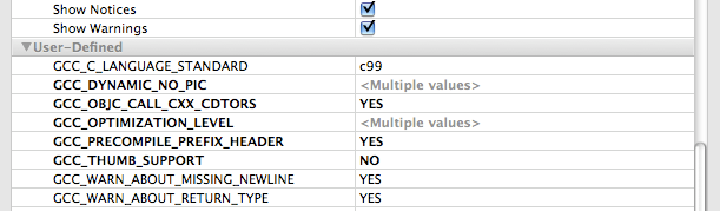
I haven’t started doing any real performance optimizations on my iPhone app yet. I pretty much ported it from the original PC version, saw that it was running rather slow (2-3 fps) so I changed the number of elements on the screen until it was an “acceptable” 15 fps and left it there until I had time to come back and optimize things towards the end. I even ran it through some of the iPhone performance gathering tools and saw that it was spending half the time in the simulation and half the time rendering. A bit surprising, but it’s not like I had much to compare it against since this was my first performance-intensive iPhone app. ...

iPhone from A Game Developer's Perspective: The iPhone API

Apple is very aware that a crucial aspect to the success of a new platform is getting developers on board. Requiring a Mac for all iPhone development isn’t a good start. That’s the first barrier of entry for a lot of developers, like me, who came from a Linux or Windows background. Strike one. Objective C, even though I have come to like it, isn’t exactly a hot, popular language (although that’s changing a bit). Strike two. Fortunately, Apple doesn’t strike out and gets everything else right. They provide a top-notch development environment, tools, and great APIs. Don’t worry, I’m not going to get into the details of the iPhone API. You can get all that and more from Apple’s iPhone development web site. I’m just going to talk about my experience starting with a new set of APIs and how they hold up in the process of a full project development. ...